
Enhance Your Teams Experience with Microsoft Teams® Dashboard
Microsoft Teams® Dashboard powered by ifonica, is your gateway to unlocking unparalleled insights and control over your Teams environment.

Real-time Monitoring Solution for Microsoft® Teams
Gain deeper insights into user activity, call quality metrics, and queue performance using our comprehensive analytics and real-time monitoring solution, tailored exclusively for your Teams environment.
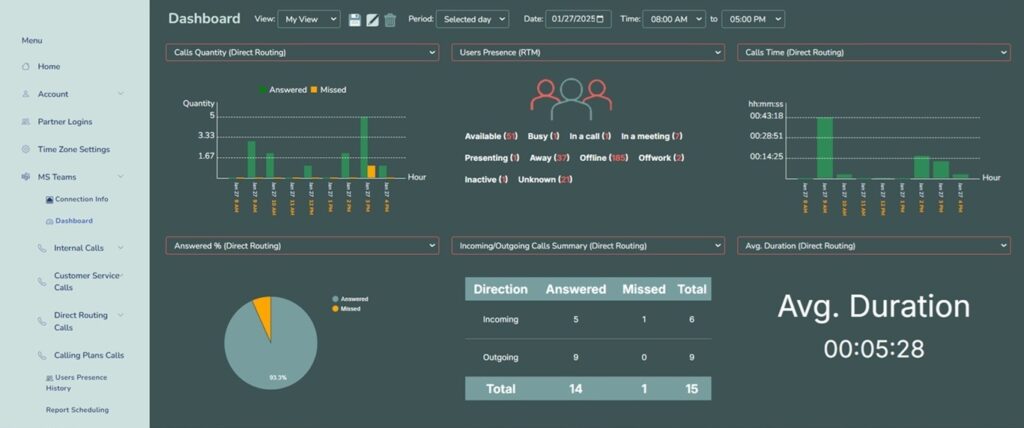
Whether you’re a small business or a large enterprise, our powerful analytics and real-time monitoring capabilities empower your business to optimize collaboration, improve productivity, and ensure seamless communication across your organization.
We are here to help you
Commonly Asked Questions about Teams Dashboard
With ifonica’s Teams Dashboard, you get a handle on more detailed, user-friendly stats about your team’s performance, call quality, and activity. Admins and managers can quickly access these insights to make better decisions for improving the overall Teams experience while keeping a close eye on security and control of their Teams environment.
ifonica’s Teams Dashboard provides more granular, interactive and customizable insights beyond what is available in the built-in Teams admin center, which only provides organization-level usage data and activity reports.
ifonica’s Teams Dashboard provides a range of analytics and reporting capabilities, such as:
- Call analytics to track team performance, compliance, and customer engagement
- Survey and polling tools to gather feedback from teammates
- Interactive dashboards and reports to visualize Teams usage and communication data
Integration with Microsoft Teams occurs through the use of tabs, bots and connectors. ifonica’s Teams Dashboard integrates directly with Microsoft Teams and can be customized to allow users access to more data and deeper insights.
- Tabs maintain persistent information and provide a dedicated window to ifonica’s analytics within the canvas of the Teams channel, allowing for smoother collaboration and multi-tasking.
- Bots can be programmed to provided a structured set of responses to user messages, serve specific role in your Teams chat, as well as help users find what they need quickly.
- Connectors allow you to receive brief activity reports from ifonica’s Teams Dashboard within your Microsoft Teams environment.