
ifonica Chat™ for Microsoft Teams
Turn Teams Into a True Customer Engagement Platform
Bring customer conversations into the heart of where your teams works. Embed rich and reliable messaging directly in Teams with ifonica Chat.

Your Business, Your Data
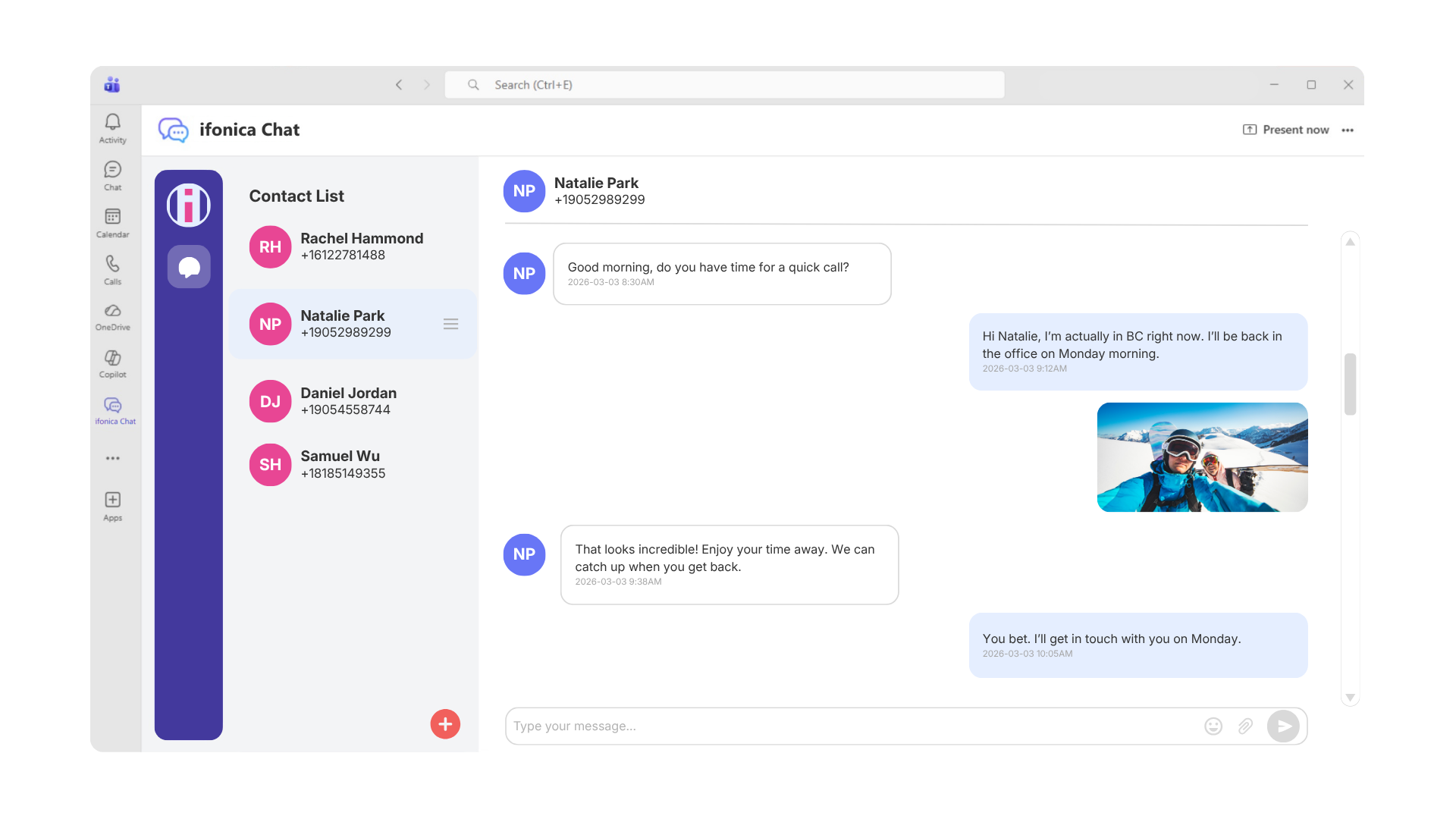
Using ifonica Chat with Microsoft Teams allows businesses to maintain a close, personable connection with their sales contacts. This removes the need for personal devices or unregulated apps, ensuring that customer data remains secure, accessible, and firmly within your organization.
Stay Reachable and Responsive with ifonica Chat
With SMS-enabled DID numbers you and your team get dedicated phone lines that connect directly, anywhere. Instantly engage with your contacts from a genuine phone number; they don’t need to use Microsoft Teams to connect with you. With ifonica Chat you get seamless connectivity and call management. That’s simplicity for growing companies and solo entrepreneurs.
Features & Benefits
ifonica Chat with MS Teams makes it easier to build genuine relationships through personal and efficient communication. Your team can send, receive, and manage messages right where they work, without switching apps. This means your sales team engages customers effortlessly and drives real growth—all in one place.
Simple to Deploy, Easy to Use
Take your team’s collaboration and communication further with ifonica Chat. See how our innovative platform expands on the limitations of Teams basic SMS by delivering advanced, enterprise-grade capabilities that enhance productivity and efficiency.
| FEATURES | IFONICA CHAT™ | MICROSOFT TEAMS® |
|---|---|---|
| MESSAGING | ||
| 2-Way Messaging | ◉ | ◉ |
| Number/Inbox for each user | ◉ | ◉ |
| Shared Number/Inboxes | ◉ | ― |
| Group Chat (users sharing a number) | ◉ | ― |
| Broadcast Messaging | Coming soon | ― |
| Attach Pictures/Other files | ◉ | ― |
| Receive 2FA Codes | ◉ | ― |
| CONTACTS | ||
| Save Contacts | ◉ | ― |
| Import Contacts from CSV | Coming soon | ― |
| Add Contact Name to Messages | ◉ | ― |
| Private Contacts | ◉ | ◉ |
| Contact Tags | ◉ | ― |
| ADVANCED FEATURES | ||
| Scheduled Messages | Coming soon | ― |
| Quick Reply Shortcuts | ◉ | ― |
| COMPLIANCE & SECURITY | ||
| SOC 2 Type II | ◉ | ◉ |
| HIPAA Compliant | ◉ | ◉ |
| Microsoft Authentication SSO | ◉ | ◉ |
| Assistance with 10DLC Registration | ◉ | ― |
| Blocked Number List | Coming soon | ― |
| Message Archiving | Coming soon | ◉ |
| MESSAGING CHANNELS | ||
| SMS/MMS | ◉ | Only SMS |
| WhatsApp for Business | Coming soon | ― |
| RCS | ◉ | ― |
| PHONE NUMBERS | ||
| Microsoft Phone Number | ◉ | ◉ |
| Separate Local SMS Number | ◉ | ― |
| SMS Enable Landline or VoIP Number | ◉ | ― |
| BYO SMS Service | ◉ | ― |
| PLATFORMS | ||
| Microsoft Teams | ◉ | ◉ |
| Browser | ◉ | ◉ |
| Desktop App | ◉ | ◉ |
| Android/IOS App | ◉ | ◉ |
| TEAMS INTEGRATION | ||
| SMS in Personal Chat | ◉ | ◉ |
| Teams Chat Notifications | ◉ | ◉ |
| Teams Text Message Counter | ◉ | ― |
| Embedded App in Teams Mobile App | ◉ | ― |
We are here to help you